
Mixee Labs1.16.0.2 - Get APK
You'll be able to download in few seconds.
Publisher Description
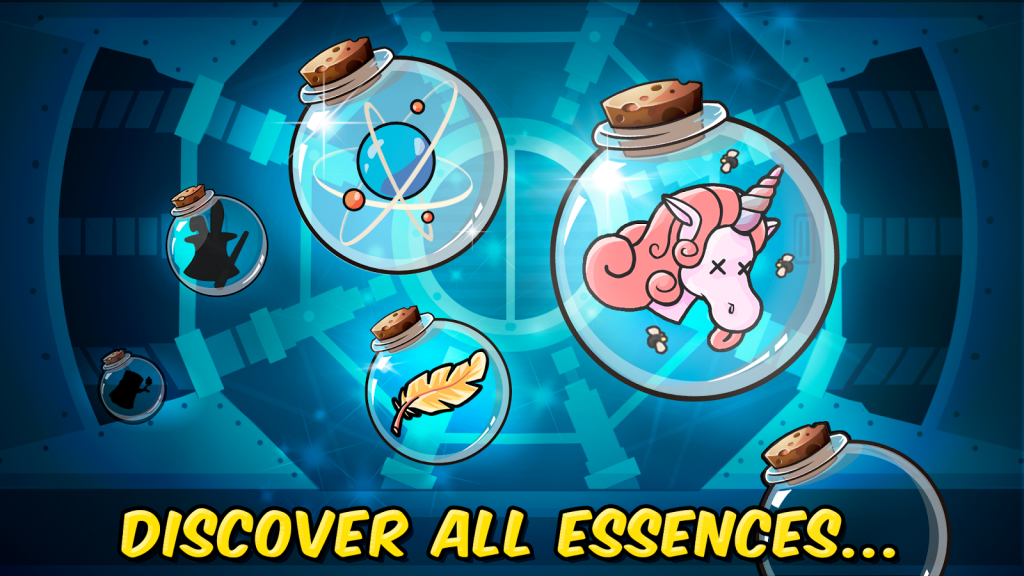
Welcome to Mixee Labs, the place where science meets adventure!
Mix powerful ESSENCES to create your own MIXEES and run to collect Coins, Treasures, Keys...
WHAT IS AN ESSENCE??
It is a substance with special attributes.
When you mix two Essences you'll create your MIXEE.
WHAT IS A MIXEE?
It is a minion, unique and with special features and movement controls.
Every Mixee gets one attribute from each Essence mixed.
Discover them all in this crazy adventure!
You will find all kinds of minions!
Cute minions, Weird, Awesome, Creepy, Funny minions... The imagination is the limit!
Enjoy this two different sections in the game
THE ALCHEMY
-Buy essences.
-Mix them to create your Mixee minions
In the alchemy fase you will have to choose wisely whis essence to mix to have the best Mixees.
THE RUNNER
-Pick the Mixee minion you like the most
-Run, Jump, Fly, Throw... your Mixee minion as far as you can
-Collect Coins, Treasures, Keys, Stars...
The Runner map will change every run, and traps and obstacles will be placed in different positions.
Featuring
-Essences with attributes [e.g. Unicorn head: Fantasy, cute, rainbow]
-Unique Mixee minions with exclusive movements and controls.
-Tricky traps and obstacles: [Walls, Spikes, Bombs...]
-Needed collectable items [Coins, Keys, Stars...]
About Mixee Labs
The company that develops Mixee Labs is Kitmaker Entertainment S.A.. The latest version released by its developer is 1.16.0.2.
To install Mixee Labs on your Android device, just click the green Continue To App button above to start the installation process. The app is listed on our website since 2016-07-15 and was downloaded 0 times. We have already checked if the download link is safe, however for your own protection we recommend that you scan the downloaded app with your antivirus. Your antivirus may detect the Mixee Labs as malware as malware if the download link to com.kitmaker.mixeelabs is broken.
How to install Mixee Labs on your Android device:
- Click on the Continue To App button on our website. This will redirect you to Google Play.
- Once the Mixee Labs is shown in the Google Play listing of your Android device, you can start its download and installation. Tap on the Install button located below the search bar and to the right of the app icon.
- A pop-up window with the permissions required by Mixee Labs will be shown. Click on Accept to continue the process.
- Mixee Labs will be downloaded onto your device, displaying a progress. Once the download completes, the installation will start and you'll get a notification after the installation is finished.
Program Details
System requirements
Download information
Pricing
Version History
version 1.16.0.2
posted on 2016-07-15
v1.16,- Bugs Fixed,- Low FPS issue handled,- Non functional Mixees replaced (Rocket),- Controls and Behaviour improvement,- UI Improvement,- New Map Colours,- Different doors design,- Mixees dynamic aspect added,- Mixee controls tutorial added,- InGame particles added for most Mixees,----------------------,v1.14 ***Global RELEASE***,- Graphics improved,- Lag problems Fixed,- Minor Bugs Fixed,- New Mixee look implementated
Disclaimer
External Download
We do not host Mixee Labs on our servers. We did not scan it for viruses, adware, spyware or other type of malware. This app is hosted by Galad and passed their terms and conditions to be listed there. We recommend caution when installing it.
The APK Download link for Mixee Labs is provided to you by apps112.com without any warranties, representations or guarantees of any kind, so access it at your own risk.
If you have questions regarding this particular app contact the publisher directly. For questions about the functionalities of apps112.com contact us.
